The best wireless earbuds for work balance clear calls, comfortable all-day wear, and controls that fit your desk or commute routine. Choose between open-ear awareness, noise reduction, worksite hearing protection, and multipoint pairing based on where you take calls and which devices you use.
Quick Top Products
SHOKZ OpenFit Pro
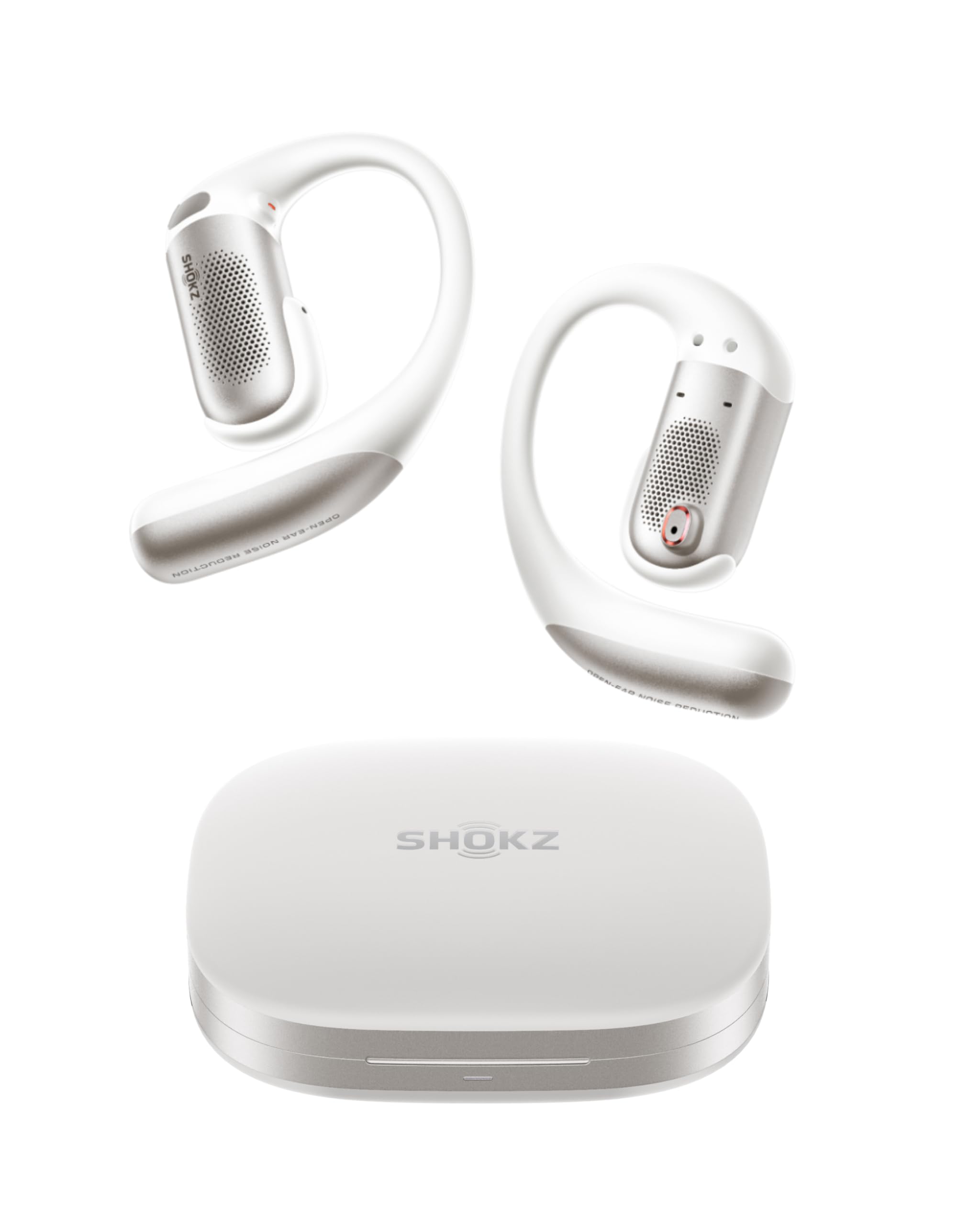
- Multipoint pairing connects to two devices, such as a phone and laptop.
- Noise reduction can be turned on for focused listening while keeping an open-ear fit.
- Battery life is up to 12 hours per charge with noise reduction off.
Best For: Workers who want open-ear listening and multipoint pairing for a phone and laptop.

SHOKZ OpenFit 2
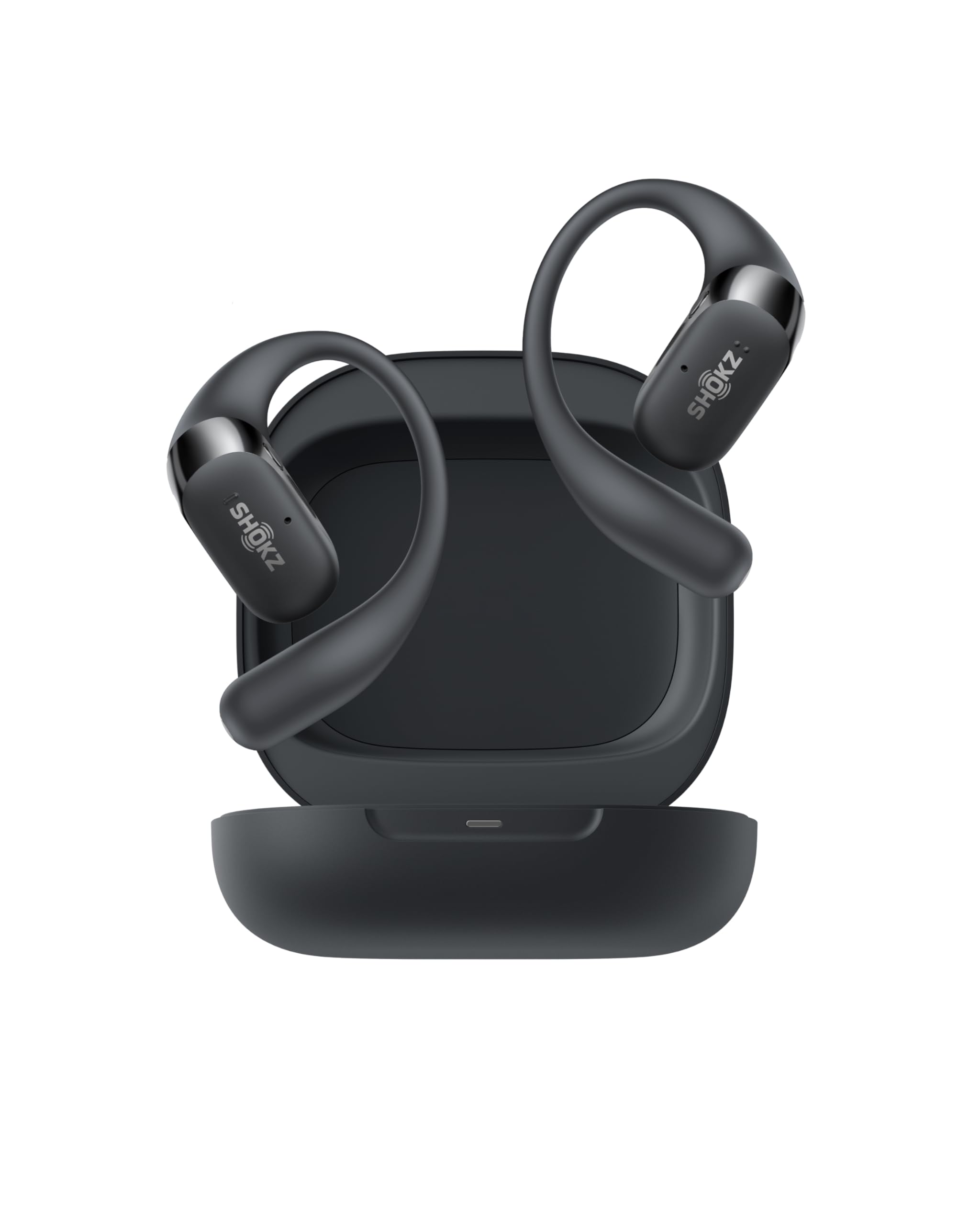
- The open-ear design keeps you connected to your surroundings.
- Physical buttons handle calls, audio controls, and switching between paired devices.
- It offers up to 11 hours per charge and 48 hours with its case.
Best For: People who want open-ear comfort, physical controls, and long listening time between charges.
Donner Dobuds ONE
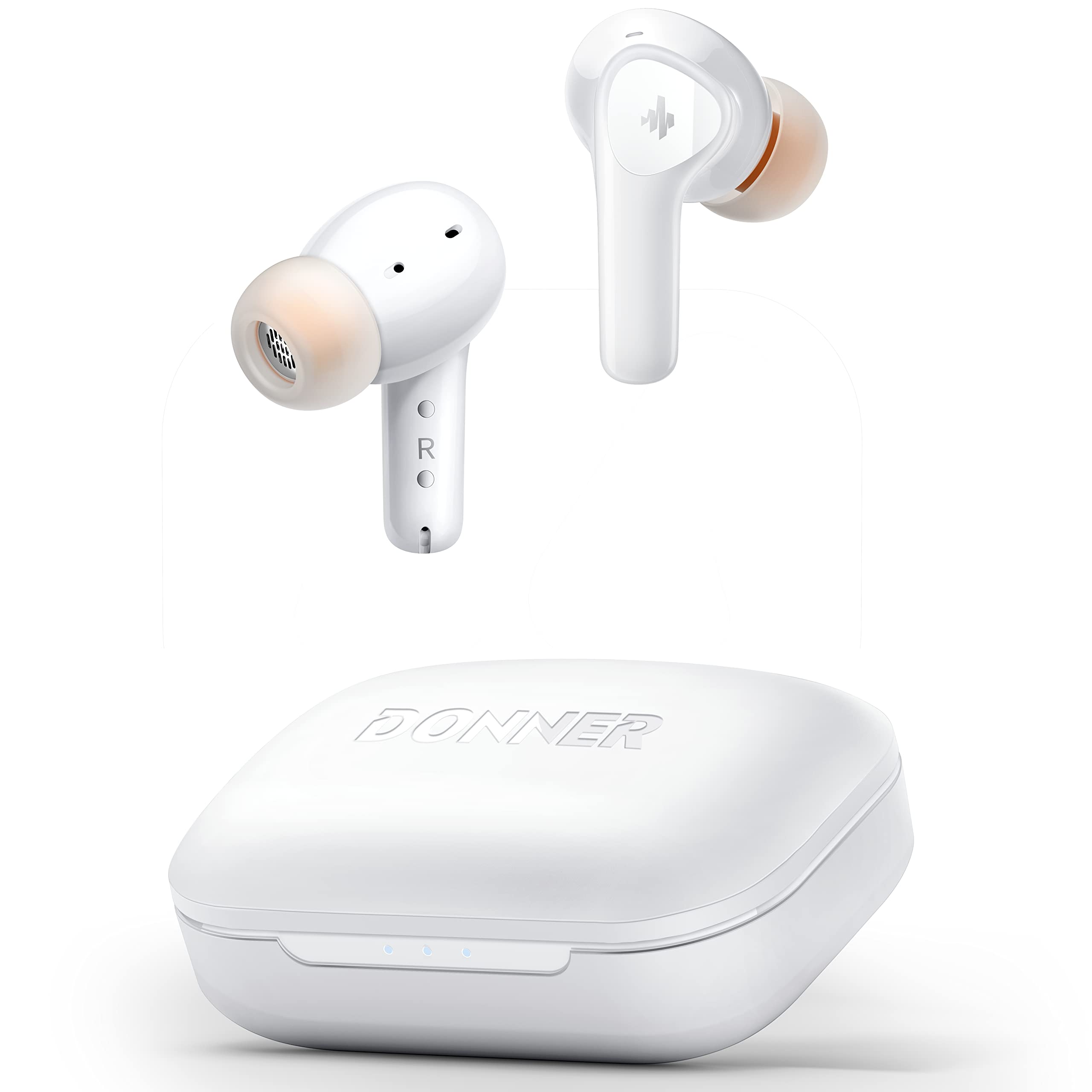
- ANC reduces noise, with transparency mode available through the app.
- Four microphones and beamforming are included for calls.
- Five eartip sizes support a more tailored in-ear fit.
Best For: Desk workers who want in-ear ANC, transparency, and app-adjustable sound.
JLab Go Pop ANC
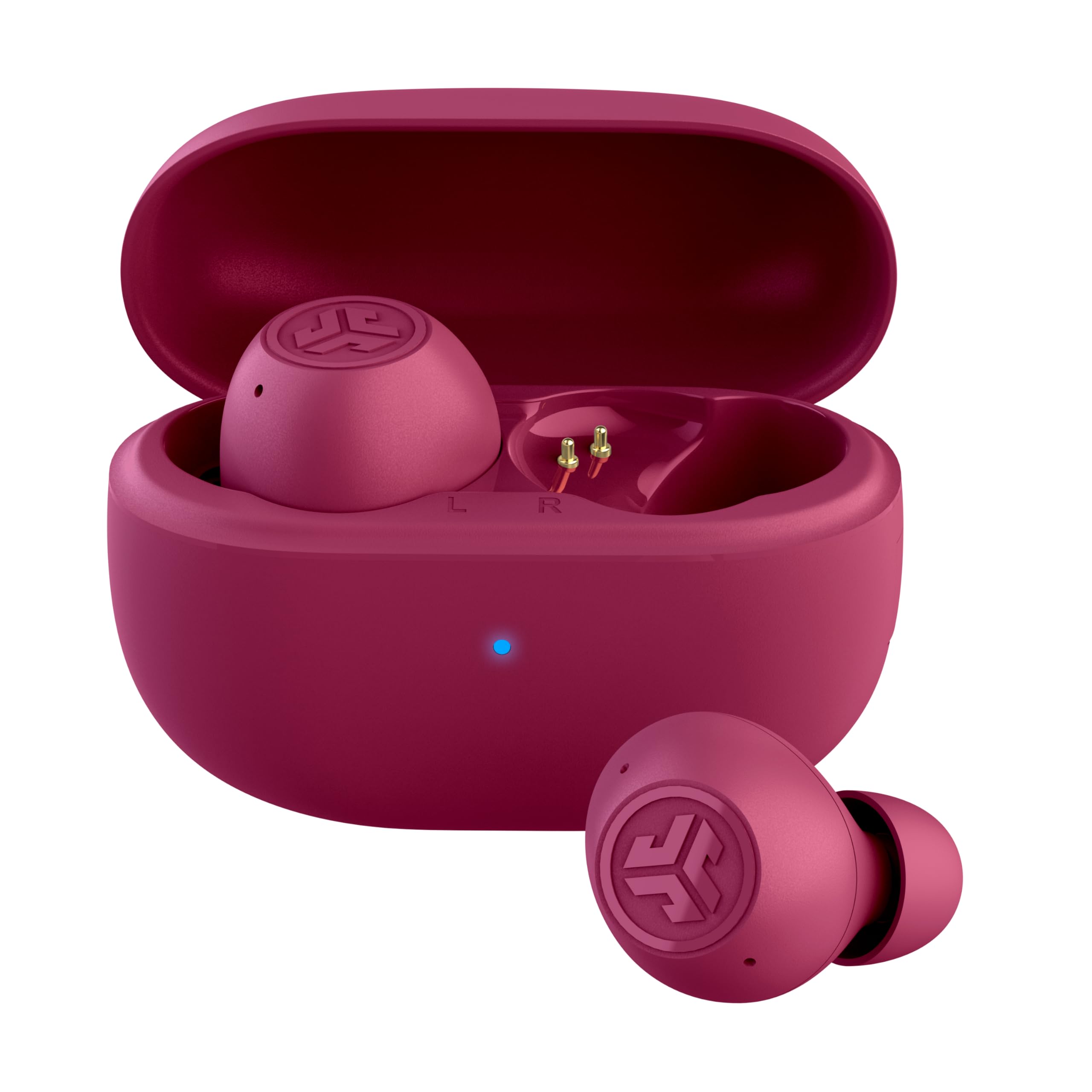
- Three sound modes include ANC, ANC off, and Be Aware.
- Dual Connect lets either earbud work independently.
- The USB-C case adds runtime and includes a built-in cable.
Best For: Commuters who want compact in-ear earbuds with ANC, transparency, and independent-bud use.
SHOKZ OpenDots 2
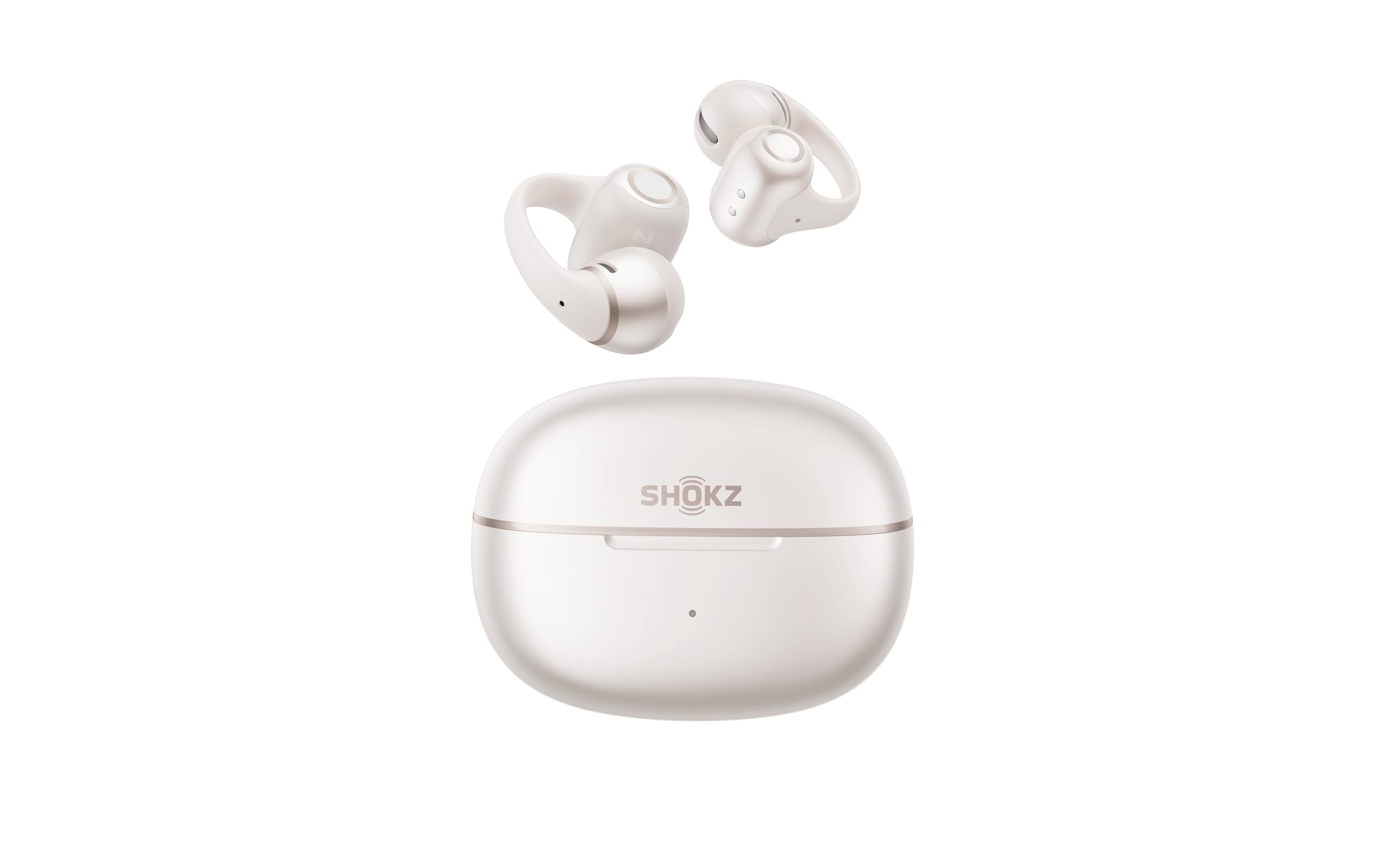
- The clip-on open-ear fit is designed to keep you aware of your surroundings.
- Three microphones support call clarity with noise reduction.
- Multipoint and interchangeable earbuds support flexible workday use.
Best For: People who want an open-ear clip-on design with multipoint pairing and call microphones.
JLab Flex Open Earbuds
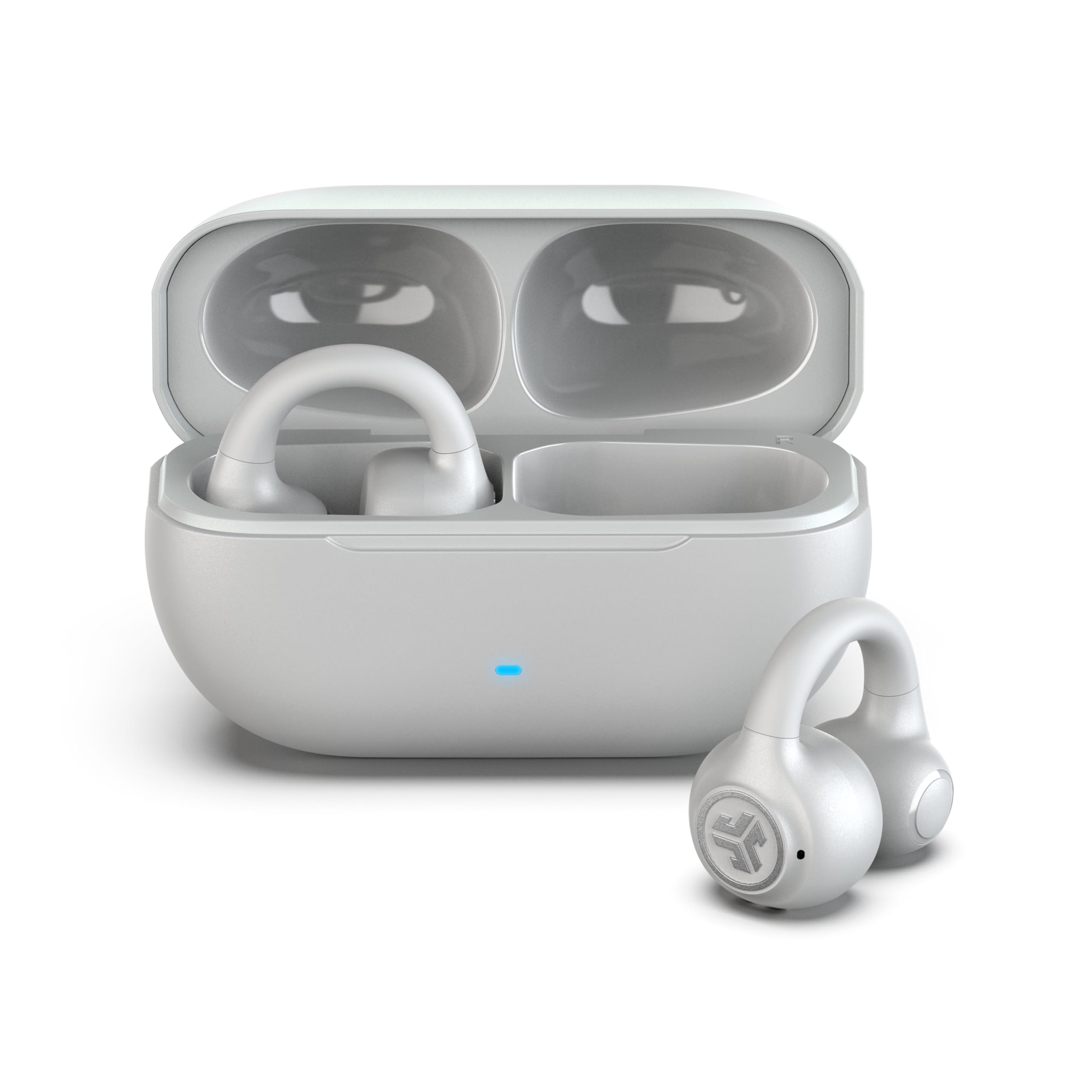
- The clip-on cuff stays outside the ear canal and uses no eartips.
- Bluetooth multipoint connects two devices simultaneously.
- A MEMS noise-cancelling mic is included for calls.
Best For: Workers who want open-ear audio, two-device Bluetooth multipoint, and app-adjustable controls.
JLab Go Air Pop+
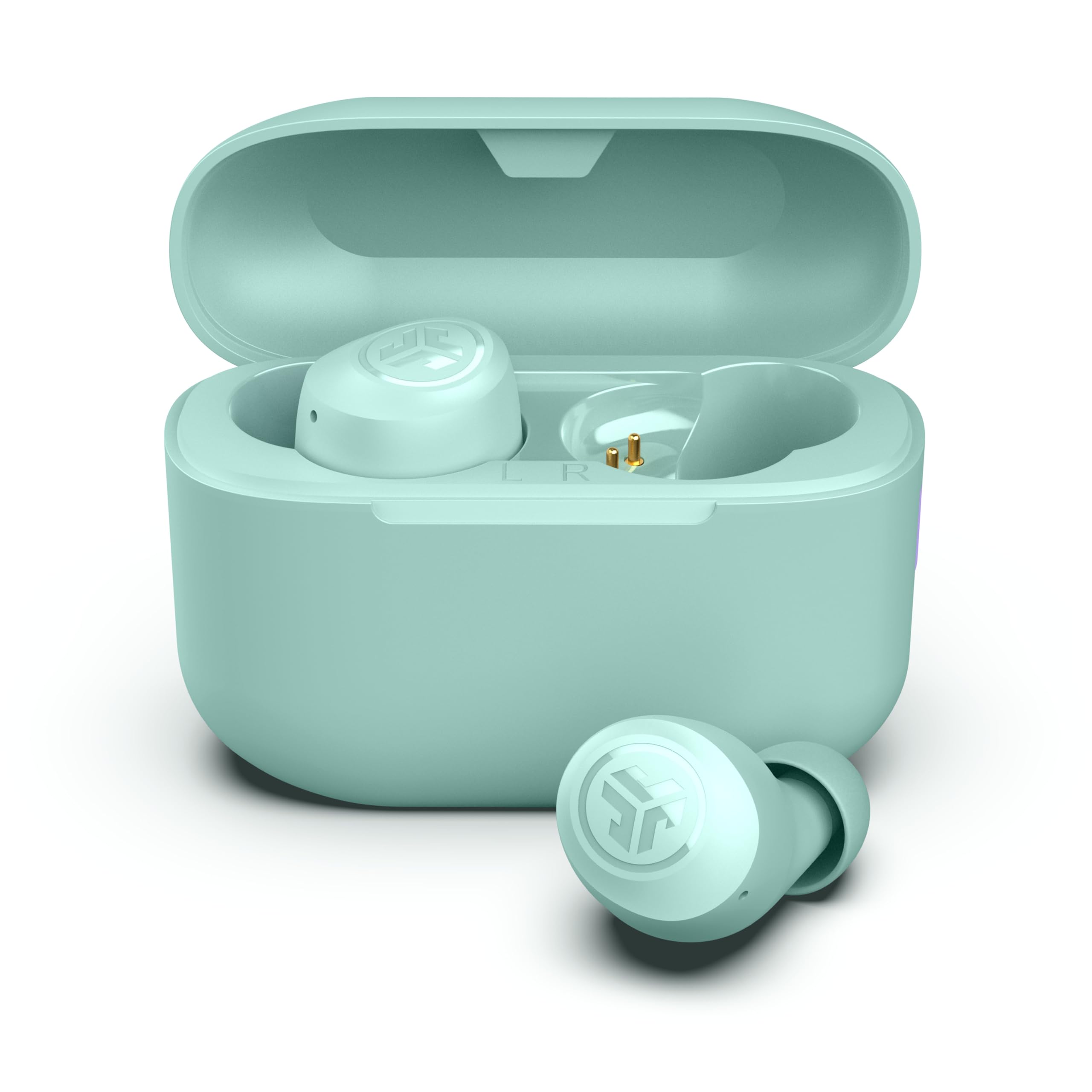
- Dual Connect allows independent use of either earbud.
- Bluetooth 5.3 supports connection to iOS, Android, and PC.
- The set provides 35-plus hours total with its case.
Best For: Workers who want a straightforward in-ear pair that supports using either bud independently.
JLab JBuds Mini
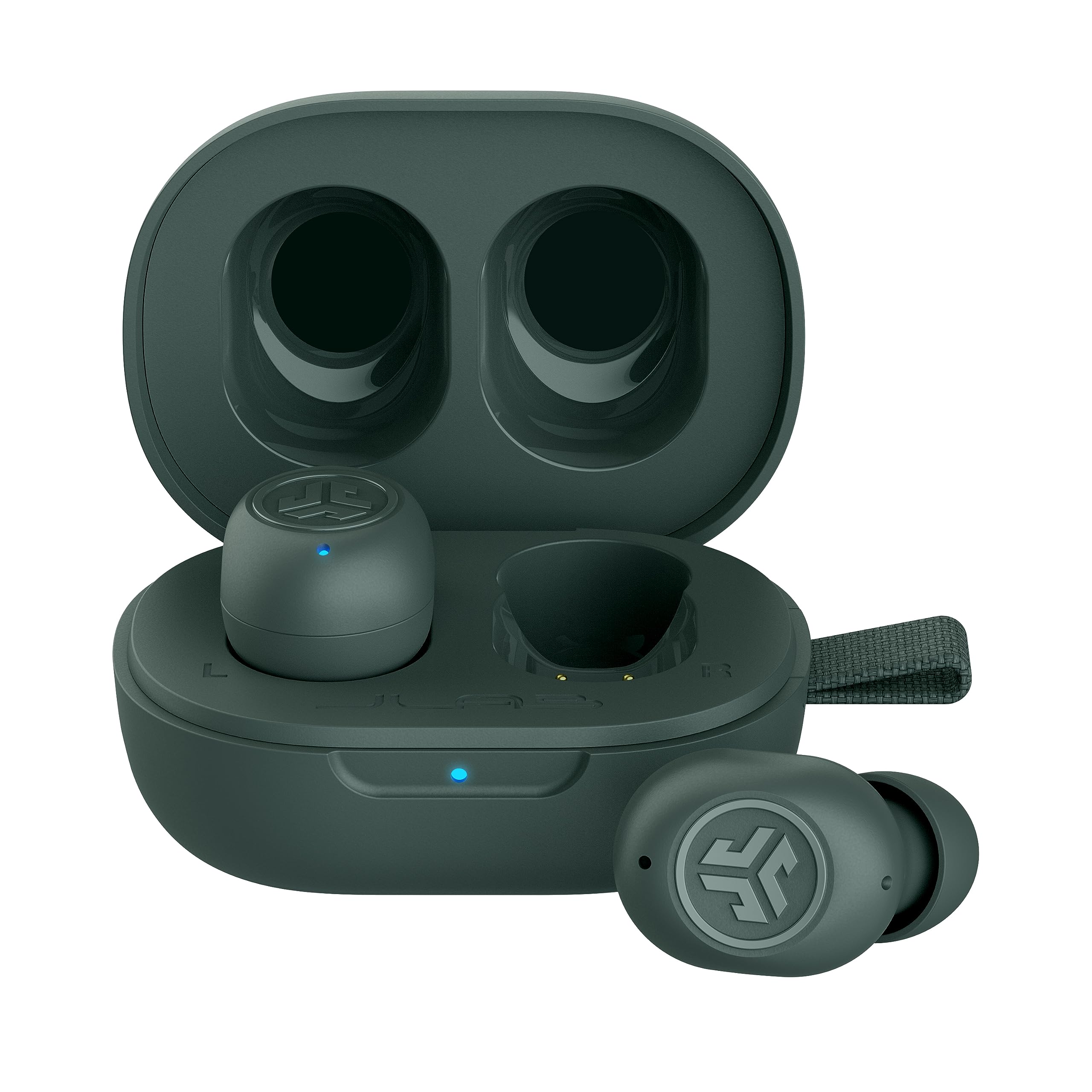
- Multipoint connects two devices simultaneously.
- Be Aware Audio lets ambient sound in without removing the earbuds.
- Each earbud weighs 3.14 g and is 30% smaller than GO Air POP.
Best For: People who prioritize very small earbuds and switching between two paired devices.
JLab Go Air Pop
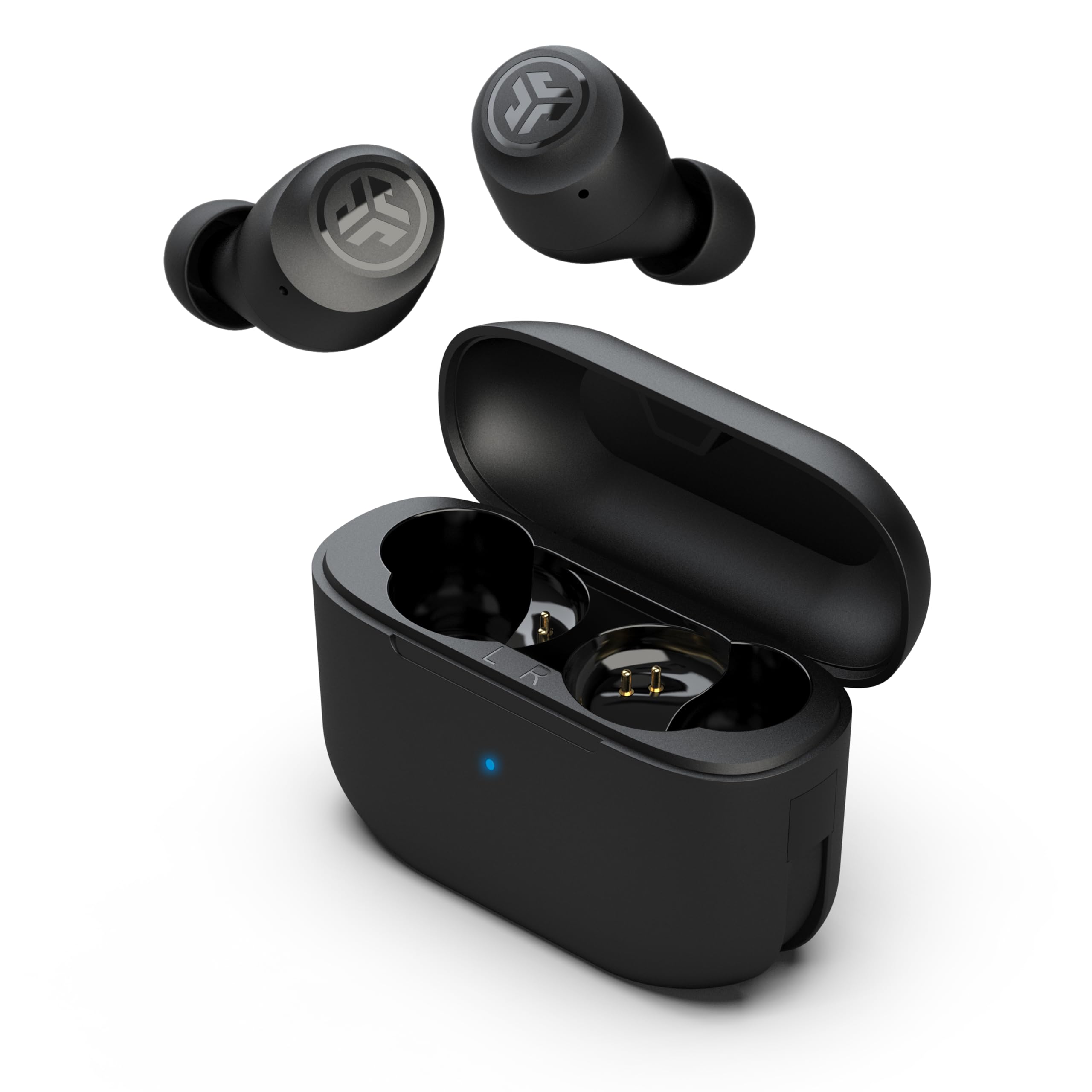
- Dual Connect lets you use either earbud independently.
- The case has an integrated USB cable.
- Each earbud has a MEMS mic and touch controls.
Best For: Workers looking for basic true wireless earbuds with independent-bud use and simple charging.
ISOtunes Free 2.0
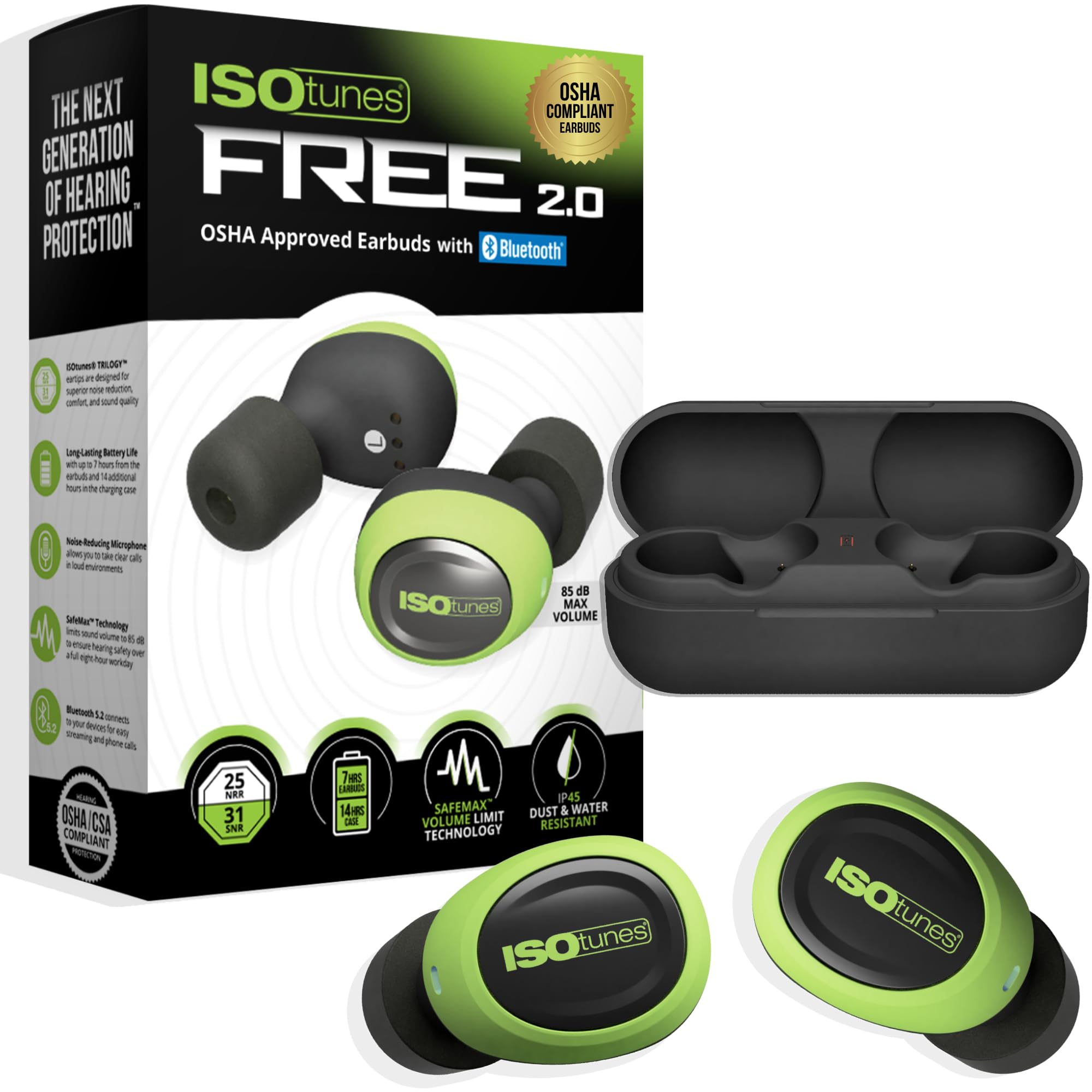
- It combines Bluetooth earbuds with 25 dB NRR hearing protection.
- The SafeMax audio limit is 85 dB.
- Noise-suppressing microphones are designed for calls in loud environments.
Best For: People working in loud environments who need Bluetooth audio with hearing-protection features.
For Laptop and Phone Switching
SHOKZ OpenFit Pro Open-Ear Earbuds with Noise Reduction, Dolby Atmos, White | Bundle with Gym Bag; Deep Bass, 50H Playtime, AI call clarity; Bluetooth 6.1; IP55 Secure all-day fit; Gym/Office/Cafe use
The OpenFit Pro combines an open-ear fit with multipoint pairing for two devices, so it suits a workday that moves between a laptop and phone. Its triple-mic system uses AI voice recognition to reduce background noise, and wind-control technology is included for calls outdoors.
Noise reduction can minimize distractions while leaving the ears open to surrounding sounds. Physical buttons handle controls, while the Shokz App offers sound and control customization.
Battery life varies by mode: the product notes up to 12 hours per charge with noise reduction off, or up to 6 hours with it on.
Best For: Workers who want open-ear listening and multipoint pairing for a phone and laptop.
| Pros | Cons |
|---|---|
|
|
Choose this pair if calls move between a laptop and phone and you prefer to keep your ears open. The open-ear design also means you remain aware of nearby activity, while noise reduction offers some help with distractions.
Compare its 6-hour per-charge figure with noise reduction on against the 12-hour figure with it off; the case extends total playtime to 50 hours. Check whether the open-ear fit and its level of distraction control suit your workspace.
Long-Shift Open-Ear Battery
SHOKZ OpenFit 2 Open-Ear Headphones,True Wireless Bluetooth Earphones with Microphone,Earhook Earbuds with 48 Hours of Playtime,Fast Charging,IP55 Water-Resistant,with Carrying Bag,Black,Bluetooth5.4
OpenFit 2 is an open-ear option for workers who want to hear nearby activity while listening to calls or audio. Its dual noise-cancelling microphones are designed for calls, and physical multifunction buttons control volume, tracks, calls, and switching between two paired devices.
The Shokz App can customize controls and EQ modes. Battery life is a standout practical detail: up to 11 hours on one charge and 48 hours with the case, with a quick 10-minute charge providing up to two more hours.
Its IP55 water resistance also suits commutes or active days.
Best For: People who want open-ear comfort, physical controls, and long listening time between charges.
| Pros | Cons |
|---|---|
|
|
Pick OpenFit 2 if long stretches between charging and open-ear awareness matter more than blocking office noise. Its physical buttons may be easier to use deliberately than touch controls, and it can switch between two paired devices.
The workday tradeoff is environmental sound: the design keeps surroundings audible, so it may be less suitable in a noisy shared space. Check fit and whether that ambient sound works for your desk before choosing it for calls.
Noise Control and Custom EQ
Donner Wireless Earbuds Noise Cancelling, Bluetooth 5.2 Earphones with 5 x EarTips, 4 Mic Clear Calls, 12mm Drivers, App for Custom EQ, 32H Playtime, Fast Charging, Transparency - Dobuds ONE,White
The Donner Dobuds ONE combines active noise cancellation with a transparency mode, giving you options for focusing or letting environmental sound back in. Its four built-in microphones use beamforming noise-cancelling technology for calls, and the Donner Control app handles EQ customization and mode switching.
The five included eartip sizes offer more fit choices than many basic in-ear sets. The case uses USB-C rapid charging, and the product notes 8 hours per earbud with ANC off and 32 hours total.
Note that the charging case is not waterproof, unlike the earbuds.
Best For: Desk workers who want in-ear ANC, transparency, and app-adjustable sound.
| Pros | Cons |
|---|---|
|
|
This is a fit for a desk worker who wants in-ear noise control and app options at hand. ANC and transparency create a useful choice between reducing distractions and hearing more of the room.
The tradeoff is that the cited single-charge runtime applies with ANC off, so check your expected use with noise control enabled. The case is not waterproof, so keep it away from spills and choose another option if open-ear awareness is a priority.
Compact ANC for Commutes
JLab Go Pop ANC True Wireless Earbuds & Charging Case, Fuchsia, Active Noise Cancelling, 10mm Drivers, Dual Connect, Customize Your Sound with App, Be Aware Mode, Compact Fit, MEMS Microphone
Go Pop ANC is a compact in-ear option with three listening modes: ANC on, ANC off, and Be Aware. Each earbud has a MEMS microphone for calls, and Dual Connect lets you use either bud independently.
The charging case has a built-in USB-C cable, which avoids carrying a separate charging lead. The product notes seven or more hours per earbud and 27-plus hours total, with a 10-minute fast charge providing an hour of playback.
Its three gel eartip sizes help tailor fit, though its case is described as smaller than a credit card rather than with exact dimensions.
Best For: Commuters who want compact in-ear earbuds with ANC, transparency, and independent-bud use.
| Pros | Cons |
|---|---|
|
|
Choose Go Pop ANC if you want compact earbuds for a commute and prefer having both noise cancellation and an awareness mode. Independent-bud use can also help when you need one ear free.
The charging case has a built-in USB-C cable, but the notes do not establish multipoint pairing between a phone and laptop. Check device-switching needs and runtime with ANC on before relying on them for a full day of calls.
Clip-On Fit With Clear Call Focus
SHOKZ OpenDots 2 Open-Ear Clip-On Earbuds with Upgraded Dolby Audio, 3-Mic Clear Calls, Rich Bass, Up to 40 Hrs of Audio, Wireless Charging, Interchangeable Left/Right Earbuds, IP57, Bluetooth 6.1
OpenDots 2 uses an open-ear clip-on design, which keeps the ear canal unobstructed and leaves you aware of the room. Three microphones, including a bone-conduction mic, work with beamforming and AI noise reduction for calls.
Multipoint pairing supports a workday spanning two devices, and the earbuds can be worn interchangeably on either ear. Controls include tap and pinch actions, while the Shokz app offers further customization.
The product notes up to 10 hours per charge and 40 hours with the case; a five-minute quick charge adds up to two hours of playback.
Best For: People who want an open-ear clip-on design with multipoint pairing and call microphones.
| Pros | Cons |
|---|---|
|
|
OpenDots 2 is worth considering if you dislike in-ear tips but still need to move calls between a laptop and phone. Its clip-on construction and interchangeable buds simplify daily handling, and the microphones are aimed at isolating your voice.
Open-ear listening keeps the room audible, so it is a weaker fit for a noisy office where concentration depends on blocking sound. Check whether the clip-on placement feels comfortable for extended sessions.
Open-Ear Multipoint at a Lighter Price Tier
JLab, Flex, Open Ear Earbuds, Clip On Wireless Bluetooth Earbuds, Open Ear Headphones, Cloud White
JLab Flex uses a clip-on cuff that wraps the outer ear, without ear tips or pressure inside the canal. Its open-air speakers let you hear audio while remaining aware of surroundings.
Bluetooth multipoint connects to two devices, which is useful for switching between a computer and phone. The MEMS noise-cancelling microphone is intended to filter background noise on calls, and the app supports EQ and touch-control customization.
Battery life is listed as seven-plus hours per earbud and 21-plus with the case. IPX4 protection covers sweat and light rain, not submersion.
Best For: Workers who want open-ear audio, two-device Bluetooth multipoint, and app-adjustable controls.
| Pros | Cons |
|---|---|
|
|
Choose the JLab Flex if you want open-ear listening with a clip-on fit and useful device switching. It supports two connected devices and has an app for adjusting EQ and controls.
Its seven-plus-hour per-earbud figure should cover many workdays, while the case brings total listening to 21-plus hours. The open design keeps room sound audible, and IPX4 is limited to sweat and light rain resistance, so consider both factors for your workspace and commute.
Simple Independent-Bud Calling
JLab Go Air Pop+, True Wireless Earbuds, Bluetooth Earbuds with Microphone, Dual Connect, EQ3 Sound, Mint Green
Go Air Pop+ offers a compact in-ear design with Bluetooth 5.3, three EQ choices, and Dual Connect for independent use of either earbud. That can suit calls when you want one ear open, though the records do not specify active noise cancellation or multipoint between a phone and computer.
Each bud has a MEMS microphone, and the JLab app can adjust EQ and manage touch controls. Battery life is listed at nine-plus hours per earbud and 35-plus hours with the USB-C charging case.
The three gel tip sizes provide basic fit adjustment.
Best For: Workers who want a straightforward in-ear pair that supports using either bud independently.
| Pros | Cons |
|---|---|
|
|
This JLab model fits a buyer who wants familiar in-ear buds, a long combined battery figure, and the option to use one earbud at a time. Bluetooth 5.3 and PC compatibility are useful for work devices, but no multipoint function is specified, so do not assume it will stay paired to a laptop and phone together.
Check how you plan to handle device changes and whether a single-ear setup meets your call routine.
Tiny Buds With Two-Device Multipoint
JLab JBuds Mini, True Wireless Earbuds, Bluetooth Multipoint, IP55 Sweat Resistant, Be Aware Audio, Sage
JBuds Mini is a small true wireless set with multipoint Bluetooth for two simultaneous device connections. That makes it a practical candidate for moving between a computer and phone without manually re-pairing.
Be Aware Audio lets ambient sound in without removing the earbuds, and the app can adjust EQ, awareness, and touch controls. The product notes 5.5 hours per earbud and 20 hours total with the compact case.
Its 3.14 g per-earbud weight and size claim are useful fit context, while the relatively short per-charge runtime is worth weighing for long meeting days.
Best For: People who prioritize very small earbuds and switching between two paired devices.
| Pros | Cons |
|---|---|
|
|
Select JBuds Mini if compact fit and convenient device switching matter more than long per-charge runtime. Its multipoint connection is explicitly designed for two devices, and Be Aware Audio adds ambient sound without removing the earbuds.
The 5.5-hour single-charge figure is the key tradeoff for a day with long calls; the case raises total listening to 20 hours. Check that your work sessions allow for charging breaks.
Budget Earbuds With Built-In Charging Cable
JLab, Go Air Pop, True Wireless Earbuds, Bluetooth 5.1, Dual Connect, IPX4, EQ3 Sound Settings, Black
The original Go Air Pop offers a simple set of workday basics: Bluetooth 5.1, touch controls, a MEMS microphone in each bud, and Dual Connect for independent left- or right-earbud use. The case has an integrated USB cable, so it can recharge without a separate cord.
Battery life is 8-plus hours per earbud and 32-plus hours total, and three EQ sound settings provide a choice of audio tuning. The product is IPX4 sweat resistant.
Unlike some newer work-oriented options here, the record does not specify multipoint pairing or active noise cancellation.
Best For: Workers looking for basic true wireless earbuds with independent-bud use and simple charging.
| Pros | Cons |
|---|---|
|
|
Go Air Pop suits a buyer who wants basic wireless earbuds for calls and listening, with independent-bud use and an integrated case cable. The stated runtime is strong for this category, and touch controls cover calls and volume.
Its work-device details are limited: Bluetooth 5.1 is specified, but simultaneous multipoint pairing is not. If you frequently move between laptop and phone, confirm how switching works before choosing this model.
Cordless Worksite Hearing Protection
ISOtunes Free 2.0 Bluetooth Hearing Protection Earbuds - 25 dB NRR OSHA Approved Earbuds, Wireless Bluetooth Earplug Headphones for Work
ISOtunes Free 2.0 is aimed at noisy work environments rather than a quiet office. It combines true wireless earbuds with ANSI-certified 25 dB NRR hearing protection and an 85 dB SafeMax audio limit.
Noise-suppressing microphones are designed to help with calls around steady-state sounds such as engines, fans, and saws. The case adds 14 hours to the seven-hour continuous earbud battery life, and the set includes foam and double-flange silicone eartips in three sizes each.
Its IP45 resistance covers sweat, water, and dust within the stated rating, while the in-ear sealing fit reduces awareness of surroundings.
Best For: People working in loud environments who need Bluetooth audio with hearing-protection features.
| Pros | Cons |
|---|---|
|
|
Choose Free 2.0 for a loud worksite where hearing-protection features are central and true wireless operation is preferred. The 85 dB audio limit and included foam and silicone tip options are practical distinctions.
It is less tailored to an office where you need to hear people nearby, since its in-ear tips provide noise isolation. Check fit and whether its battery and device-pairing details meet the length and communication demands of your shifts.
How to Choose Wireless Earbuds For Work
How We Picked Wireless Earbuds for Work
We prioritized features that affect a workday: microphone details, independent-earbud use, multipoint pairing, noise control, battery life, and fit. The selection includes in-ear pairs for reducing distractions, open-ear and clip-on designs for hearing the room, and hearing-protection earbuds for loud work environments.
Products with sport-first features stayed in the mix only when they also offered useful call or device options.
For computer-heavy work, explicit multipoint pairing matters because it can keep a phone and laptop connected at once. JLab Flex, JBuds Mini, Shokz OpenFit Pro, and OpenDots 2 all specify two-device pairing.
Independent-bud support is different: it lets you use one side, but does not establish simultaneous pairing. Confirm the difference if you regularly switch between calls and meetings on separate devices.
Comparing Wireless Earbuds for Work
Noise handling is the main dividing line. Donner Dobuds ONE and JLab Go Pop ANC offer in-ear ANC, while ISOtunes Free 2.0 adds hearing-protection features for louder environments.
Open-ear choices, including SHOKZ OpenFit 2 and JLab Flex, keep surrounding sound present. That helps with awareness, but does not provide the same isolation as sealed in-ear buds.
Microphone counts and labels do not guarantee the same call result, so consider the stated design and your environment. SHOKZ OpenDots 2 identifies a three-microphone system with a dedicated bone-conduction mic.
OpenFit Pro specifies a triple-mic system with AI voice recognition. For desks where wind or room noise is less relevant, an individual MEMS microphone per bud may be sufficient; JLab Go Air Pop+ and Go Pop ANC include that detail.
Battery figures also need context. Some products give both per-charge and case totals, while ANC can shorten runtime.
For example, OpenFit Pro gives separate per-charge figures with noise reduction on and off. JBuds Mini's 5.5 hours per earbud is shorter than the 9-plus hours claimed for Go Air Pop+, so think about meeting length and charging access.
| Product | Standout features | Best for |
|---|---|---|
| SHOKZ OpenFit ProCheck Price |
| Workers who want open-ear listening and multipoint pairing for a phone and laptop. |
| SHOKZ OpenFit 2Check Price |
| People who want open-ear comfort, physical controls, and long listening time between charges. |
| Donner Dobuds ONECheck Price |
| Desk workers who want in-ear ANC, transparency, and app-adjustable sound. |
| JLab Go Pop ANCCheck Price |
| Commuters who want compact in-ear earbuds with ANC, transparency, and independent-bud use. |
| SHOKZ OpenDots 2Check Price |
| People who want an open-ear clip-on design with multipoint pairing and call microphones. |
| JLab Flex Open EarbudsCheck Price |
| Workers who want open-ear audio, two-device Bluetooth multipoint, and app-adjustable controls. |
| JLab Go Air Pop+Check Price |
| Workers who want a straightforward in-ear pair that supports using either bud independently. |
| JLab JBuds MiniCheck Price |
| People who prioritize very small earbuds and switching between two paired devices. |
| JLab Go Air PopCheck Price |
| Workers looking for basic true wireless earbuds with independent-bud use and simple charging. |
| ISOtunes Free 2.0Check Price |
| People working in loud environments who need Bluetooth audio with hearing-protection features. |
Choosing Earbuds for Laptop and Phone Calls
If you use both a computer and phone, start with multipoint models such as JLab Flex, JBuds Mini, OpenFit Pro, OpenFit 2, and OpenDots 2. The product records describe device connections but do not provide detailed call-priority behavior, so check how your chosen pair handles an incoming phone call during laptop audio.
For a single device or a one-earbud-at-a-time routine, JLab Go Air Pop and Go Air Pop+ both support independent use. The Go Pop ANC adds three listening modes, including Be Aware, but the supplied details do not specify multipoint.
These distinctions matter when your routine includes calls, video meetings, and awareness of coworkers.
Open-Ear or Noise-Cancelling Earbuds for Work?
Open-ear and clip-on models keep the ear canal free. SHOKZ OpenFit 2 uses earhooks, while OpenDots 2 and JLab Flex use clip-on styles.
They suit workers who want to hear a colleague or announcement without removing earbuds. Their tradeoff is ambient sound: a busy office may remain distracting, and sound leakage details vary by model.
In-ear noise control suits quieter, focus-heavy routines. Donner Dobuds ONE offers ANC and transparency through its app; Go Pop ANC has ANC, off, and Be Aware modes.
ISOtunes Free 2.0 is a separate category for noisy work settings, with rated hearing protection and a volume limit. Match these approaches to the actual workplace rather than assuming ordinary ANC is hearing protection.
Who Should Buy Which Work Earbuds?
Choose SHOKZ OpenFit Pro or OpenDots 2 if you want open-ear awareness and a stated way to connect two devices. OpenFit 2 is a practical alternative when long battery life and physical controls matter more.
JLab Flex offers a clip-on fit with multipoint and app controls; JBuds Mini is smaller but has shorter per-charge runtime.
Choose Donner Dobuds ONE or JLab Go Pop ANC if in-ear ANC and selectable awareness modes match your office routine. Go Air Pop+ or Go Air Pop suit simpler calls and independent-bud use, with no multipoint feature specified.
For loud work environments, ISOtunes Free 2.0 is the purpose-built choice in this group; check eartip fit and the protection rating against your workplace needs.